
OpenSpace – Cam360 solution combined with AI technology
Modern construction projects demand extensive visual documentation. A site supervisor may capture hundreds or even thousands of photos daily, sharing them via Zalo groups for reporting, defect tracking, and site progress monitoring. However, over time, these images become buried in chat threads, making it challenging to retrieve and compare historical site conditions from a week, a month, or even a year ago
To enhance communication as mentioned above, 360-degree cameras combined with AI technology provide an optimal solution for improving visual collaboration. This technology is also a growing trend in the global construction industry and serves as a key tool for the digital transformation of construction.
How does this solution work?
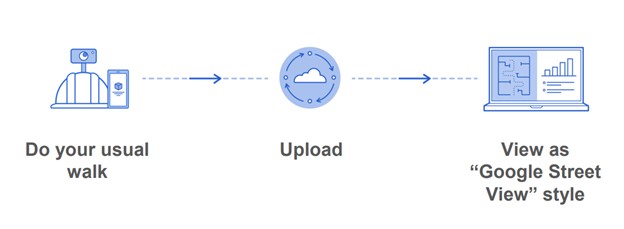
Just tap and go
- First, you will need a 360-degree camera (a list of compatible cameras can be found at the end of this article). Download the OpenSpace app on your mobile device or tablet. Upload the project floor plan (PDF or image).
- Then, mount the camera onto the supervisor’s hard hat.
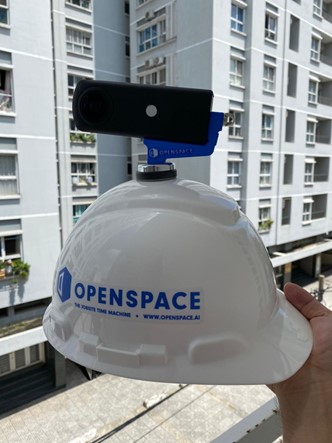
- Connect your phone or iPad to the camera.
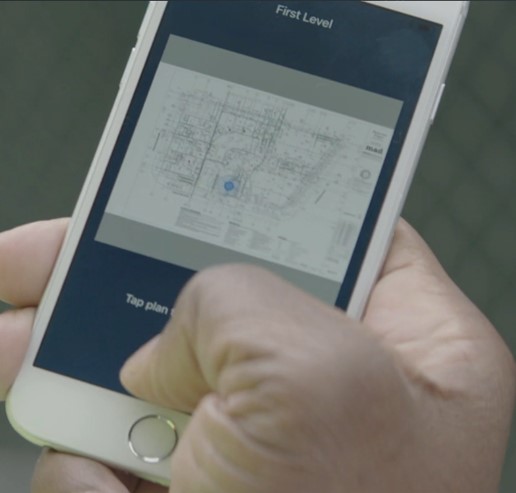
- Select a starting point on the floor plan, begin your site walkthrough, and conduct your inspection as usual.
- After completing your walkthrough, simply upload the data to OpenSpace’s cloud.
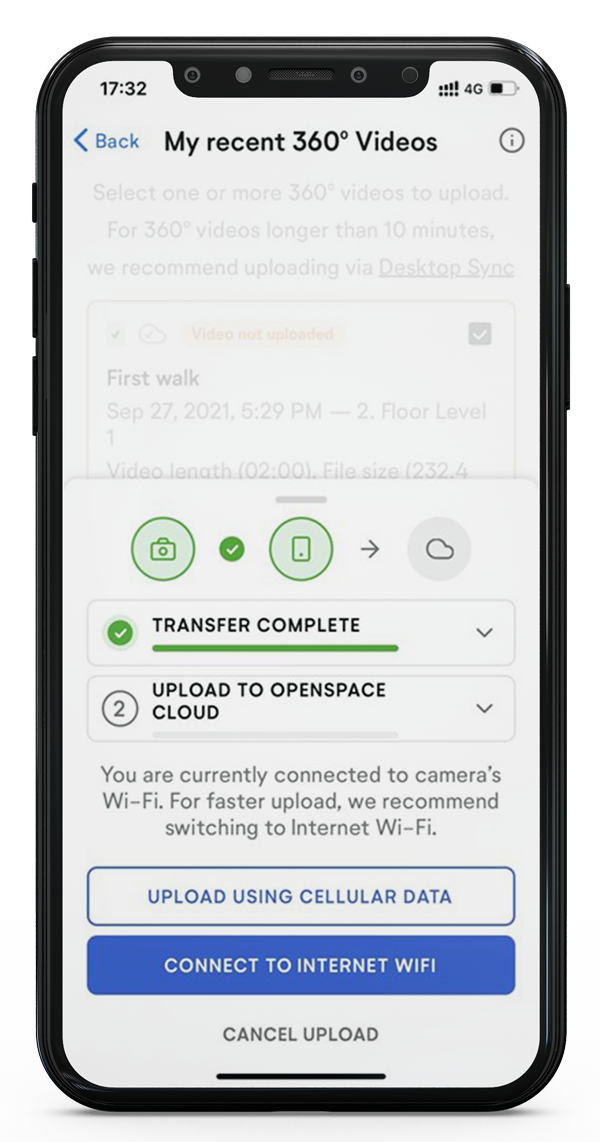
- The rest will be handled by OpenSpace, and with AI technology, it will accurately determine where you have walked on the construction site plan.
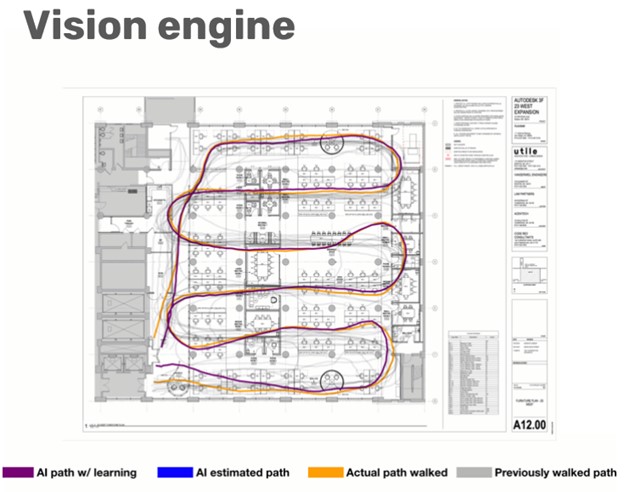
Once the data has been processed, you will receive an email notification informing you that your site walk/inspection is now available for viewing on the web or mobile device, as shown in the image below.
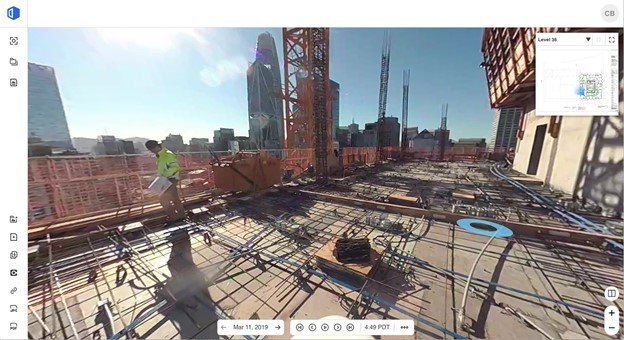
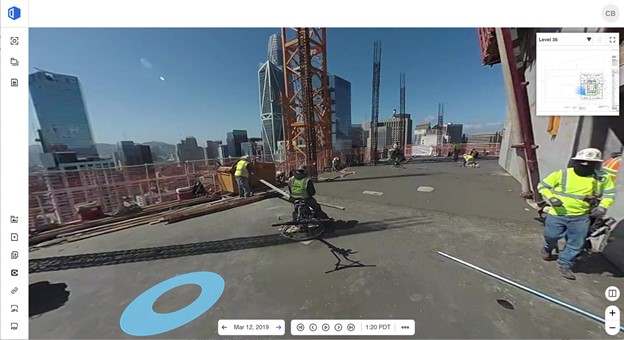
What benefits does OpenSpace bring to users?
OpenSpace offers many benefits to users, including:
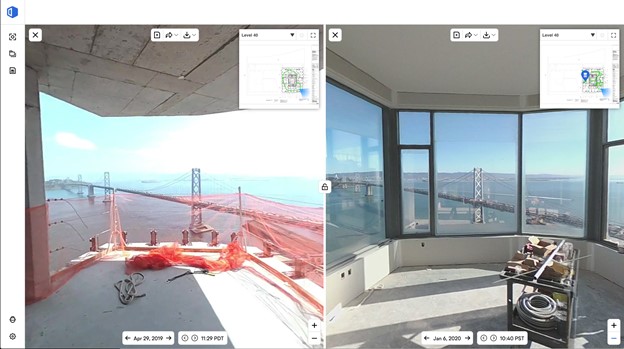
- First, with continuously recorded images from site walks using a 360 camera, you can easily compare progress at two different points in time from the same viewpoint. As illustrated in the image below:
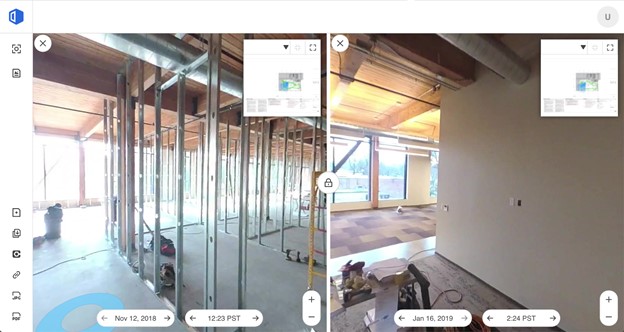
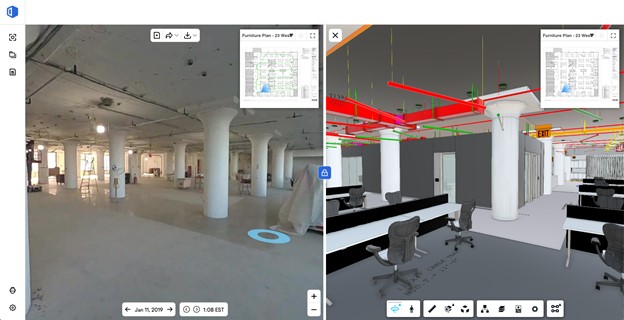
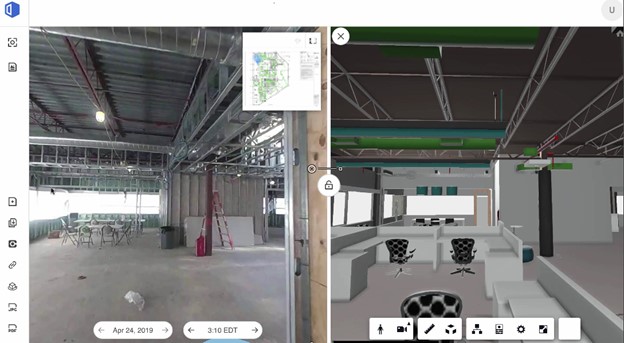
- Connect the BIM model and compare it with actual construction progress:
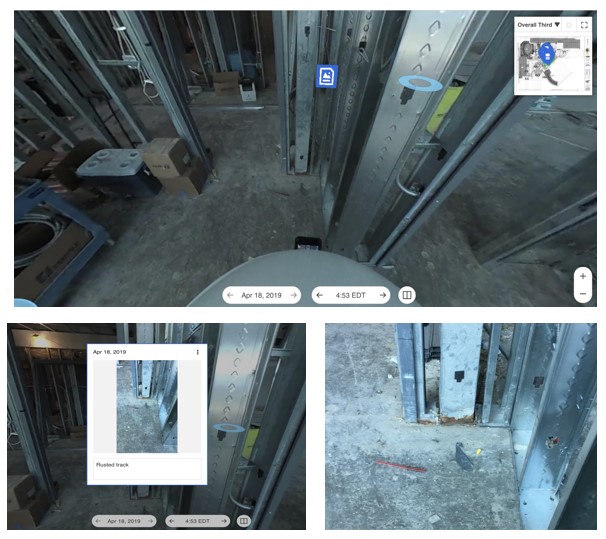
- Create and manage defects using the Field Notes tool on OpenSpace:
- Additionally, as a project owner, you can easily share progress images and model homes with customers through the OpenSpace sharing link.
Furthermore, OpenSpace also helps with:
- Reduce site inspection time and minimize the risk of COVID-19 exposure
- Improve QA/QC processes
- Mitigate risks related to claims, liability, and facilitate project settlement
- As-built documentation and historical data storage

Who should I contact to get a quote for my project?
OneCAD is currently the official authorized partner of OpenSpace in Viet Nam. For any technical inquiries or quotation requests, please contact OneCAD today for the fastest consultation.
Related products


OpenSpace
Introducing the next-generation construction site documentation software with powerful AI technology support. OpenSpace is the fastest, simplest, and most advanced tool available on the market.