
Comprehensive data management solutions from Autodesk Vault
Centralized Data Management for Enhanced Collaboration & Security
What is Autodesk Vault?
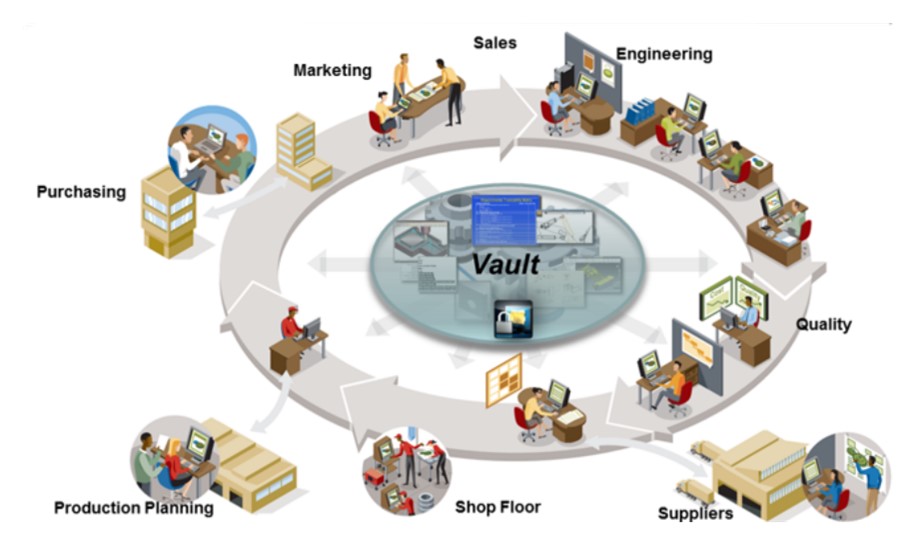
Autodesk Vault is a data management software that helps you track and organize all design and engineering data within your company. It ensures secure storage and centralized management, enabling engineers to efficiently create, share, and safeguard project information. By minimizing data loss risks, Vault maximizes project efficiency and saves time.
A Data Management System for the Manufacturing & Mechanical Design Industry
Autodesk Vault data management software allows you to track all digital design data and documents within your company. All information is securely stored and centrally managed, enabling engineering teams to efficiently create, share, and protect project data. This maximizes project efficiency while minimizing the risk of data loss.
Autodesk Vault supports installation and deployment on internal company servers or can be configured for remote access via the Internet. Depending on your company’s security requirements, you can choose the most suitable solution.
Key Features of Autodesk Vault
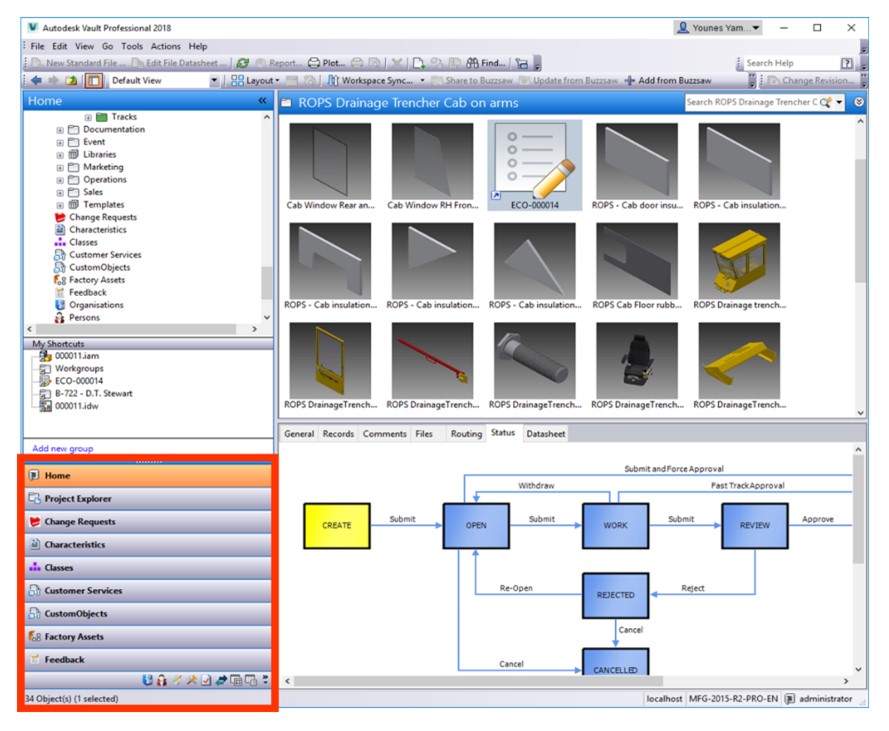
Integration with CAD Software
CAD Data Management,Vault provides seamless integration with Autodesk design software, simplifying the data synchronization process.
Data Control
Access Control via Login
Permission Management for Individual Documents and Folders
Version & Revision Management
Data Reuse
Users can reuse old designs to modify and create new parts and product models
The Copy Design feature of Autodesk Vault enables quick reuse of existing components to develop new products efficiently
Fast Data Search
Access data more efficiently with optimized search functions and shortcuts
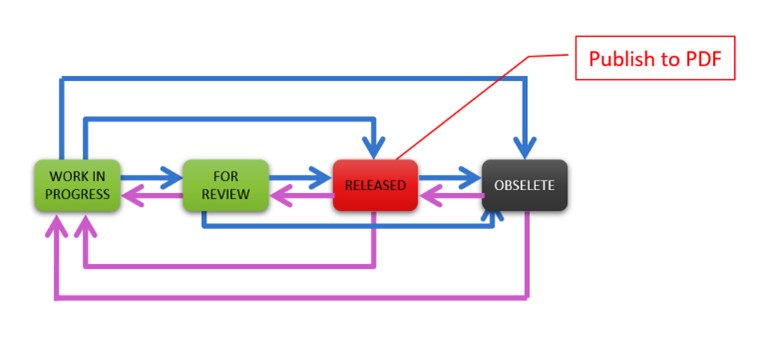
Engineering Change Order (ECO) – Drawing Release Process
Every product requires an approval and release process. Users can customize workflows using Lifecycles
Web & Mobile Access
Users can access data via Autodesk Vault Thin Client on web browsers and mobile devices (iOS & Android) without requiring a license
View-Only Restrictions
Drawing Annotations
Users can create and annotate 2D and 3D drawings, sharing feedback with collaborators
Vault Editions
Vault Basic – Limited features such as folder permissions, Engineering Change Order (ECO) processes, and drawing release workflows. It is included for free in the Product Design & Manufacturing Collection, Inventor, and AutoCAD Toolsets.
Vault Professional – A full-featured solution for managing data and product lifecycle processes.
Feature Comparison Table
 |  | |
|---|---|---|
| COST | ||
| Not sold separately | Paid | |
| Features | ||
| CAD & Non-CAD Data Management | ✔️ | ✔️ |
| User Interface Integration | ✔️ | ✔️ |
| Centralized Data | ✔️ | ✔️ |
| Easy Deployment & Configuration | ✔️ | ✔️ |
| Data Retrieval | ✔️ | ✔️ |
| Automatic Versioning | ✔️ | ✔️ |
| Design Reuse | ✔️ | ✔️ |
| Fast Data Search | ✔️ | ✔️ |
| Labels | ✔️ | ✔️ |
| Shortcuts | ✔️ | ✔️ |
| Custom view | ✔️ | ✔️ |
| Rename | ✔️ | ✔️ |
| Folder Security | ✔️ | |
| Release Management | ✔️ | |
| Engineering Change Process (ECO) | ✔️ | |
| Automated Naming | ✔️ | |
| Shared View | ✔️ | |
| Share Data | ✔️ | |
| Project Sync | ✔️ | |
| BOM Management | ✔️ | |
| Multi-Server Support | ✔️ | |
| ERP Integration | ✔️ | |
Refer to the introductory video on how to get started with Vault here:
Watch the video on effective design data management with Autodesk Vault:
Thanh Đại