


The Nesting tool for Inventor supports optimal sheet metal design and is integrated within the convenient CAD design environment.
CONTACT US
or call 0919-019-964
What is Inventor Nesting?
Autodesk Inventor Nesting software helps reduce manufacturing costs by optimizing the nesting process for sheet-based parts.
- Generate multiple sheet nests with several material and packaging options.
- Compare efficiency and costs in different studies to maximize job profitability.
- Specify allowable orientations to ensure consistent grain direction for aesthetic support or crack prevention.

Nesting tool – efficient and professional sheet layout within the Inventor CAD environment
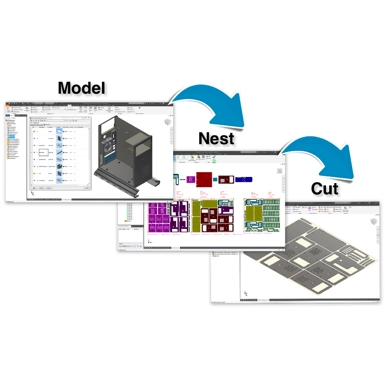
Inventor® Nesting is an integrated software within the Inventor CAD environment that optimizes the layout of shapes on sheet materials and generates cut paths for manufacturing.
Inventor Nesting is included as part of the Product Design & Manufacturing Collection.
Autodesk’s Product Design & Manufacturing Collection (PDMC) is a comprehensive software suite for mechanical design and manufacturing, providing all the tools you need for product design, validation, and production, including:
- AutoCAD
- Inventor Professional
- Inventor CAM
- Inventor Nastran
- Inventor Nesting
- Inventor Tolerance Analysis
- And more
Enjoy the best deals at
OneCAD Vietnam, Autodesk’s strategic partner in Vietnam.
Key features
of Inventor Nesting
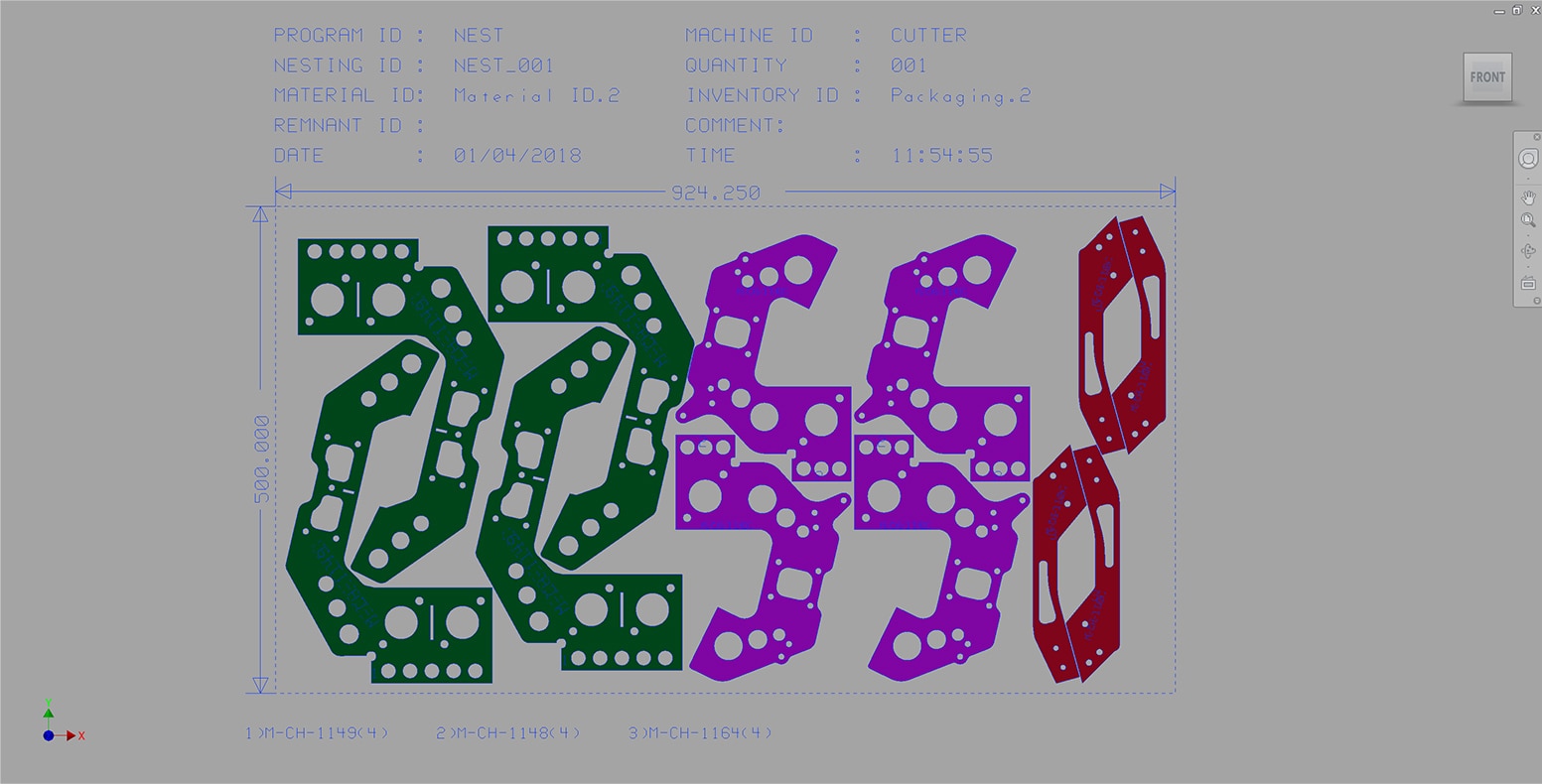
Automatic sheet shape nesting
Optimize the placement of sheet metal parts to reduce material waste. Automate material usage in flat sheet cutting operations.
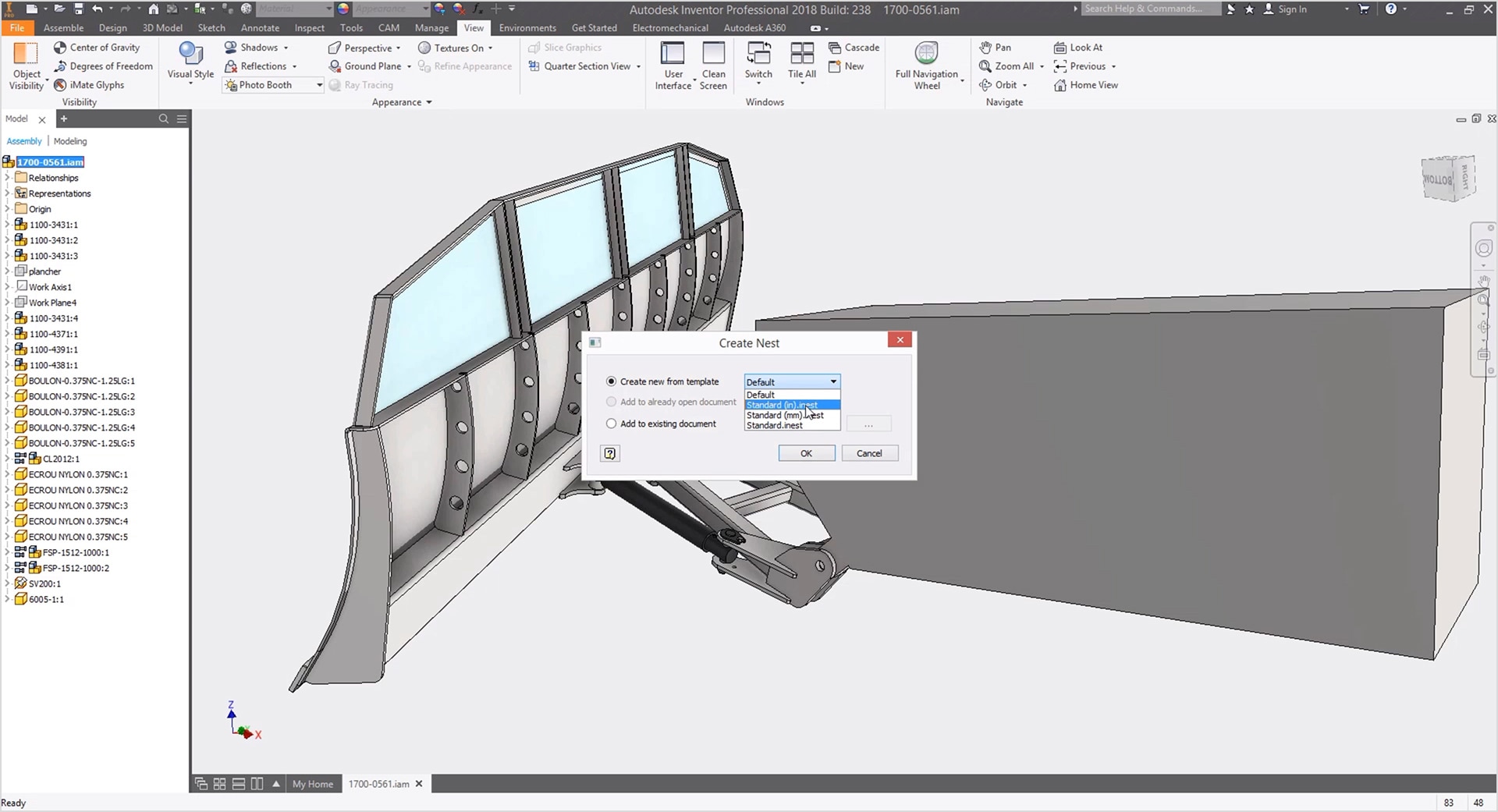
Inventor AnyCAD
Supports sheet metal parts and assemblies modeled in Inventor or imported as DXF files. Operates entirely within the unified Inventor environment.
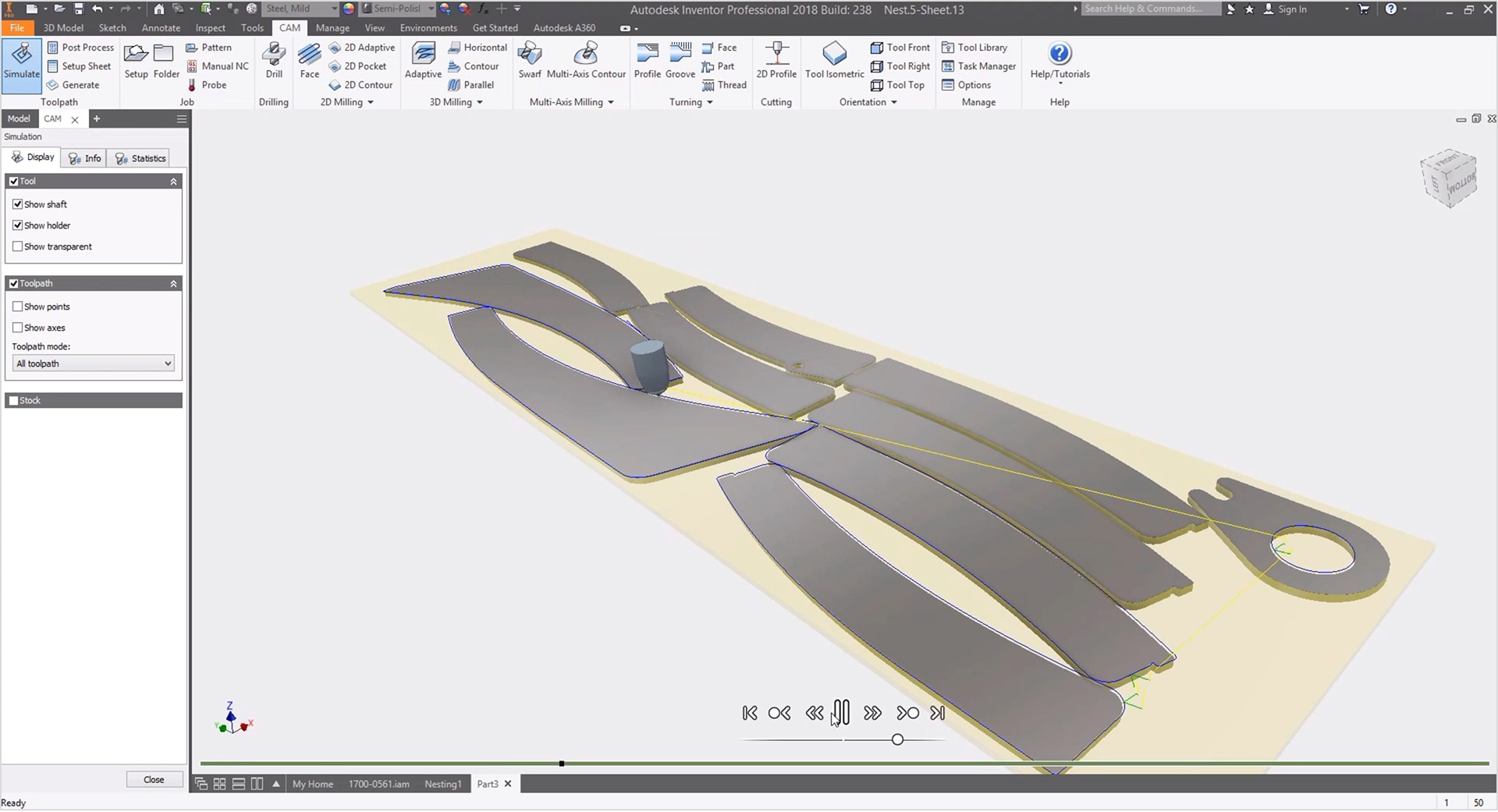
Simplify the toolpath creation process
Create 3D models of parts and toolpaths with Inventor CAM, or export to DXF files for use in AutoCAD in combination with other CAM software.
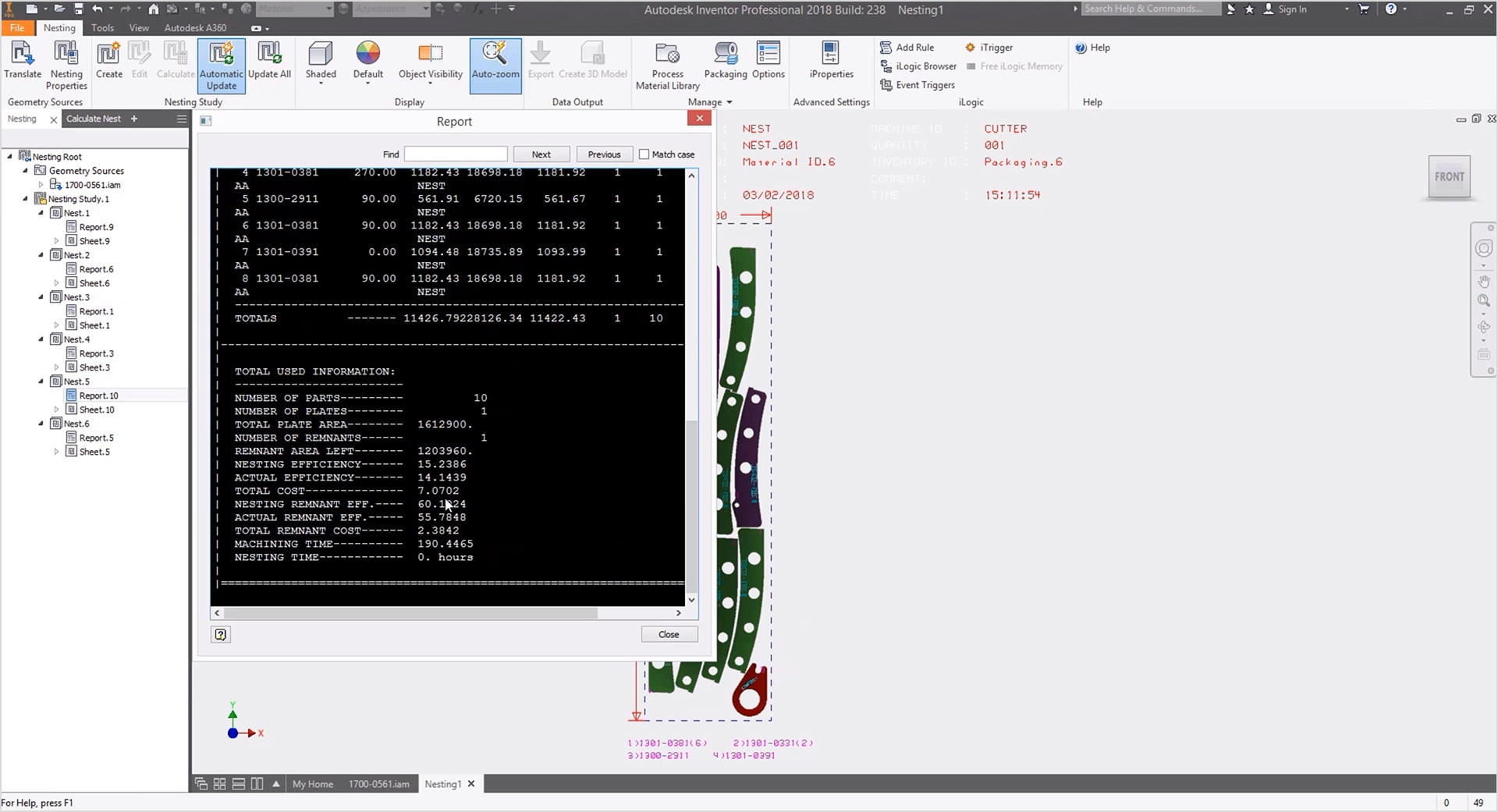
Compare the efficiency of different scenarios
Easily review and compare different nesting scenarios through detailed reports. Access key metrics such as material efficiency, total cost, machining time, and more.
Advantages of
Inventor Nesting
OneCAD Vietnam offers consulting services for adopting or migrating from third-party software to Autodesk Inventor Nesting.
So, what are the advantages of this software?
Synchronized with the CAD environment
Fully integrated with the Inventor Professional CAD environment, simplifying workflows without the need to switch between multiple software applications.
Reduce the number of software tools used
The AnyCAD feature in Inventor allows users to directly read files from other design software (such as Solidworks, Catia, Creo…), enabling them to leverage Inventor regardless of which CAD software was used to create the model.
Save on licensing costs
Inventor Nesting is included in the Product Design & Manufacturing Collection, which also features AutoCAD, Inventor Professional, Inventor CAM, Nastran, and more—offered at a highly cost-effective price.
FAQs
What is Autodesk Inventor Nesting used for?
Autodesk Inventor Nesting is used to create an optimal nest for flat components that produces a minimal amount of scrap after they are cut from the raw material.
Who uses Autodesk Inventor Nesting?
Autodesk Inventor Nesting is used by designers and engineers who are tasked with producing an efficient nest for components that are cut from flat raw material.
Which versions of Autodesk Inventor Nesting are available for users?
Autodesk supports users in installing and using the current version (2026) and the three previous versions (2023, 2024, 2025). Installation files are listed in the Autodesk Account when deploying the software.
Note: You need to install Inventor Professional before installing Inventor Nesting.
Inventor Nesting is an integrated solution within the PDMC software suite and not available as a standalone licensed product.

Using the Product Design & Manufacturing Collection (PDMC) is an optimal solution in terms of both performance and cost if you require at least one of the following combinations:
Inventor Professional + AutoCAD
Inventor Professional + 3DsMax
Inventor Professional + Nesting
Inventor Professional + HSM (CNC)
Inventor Professional + Nastran In-CAD